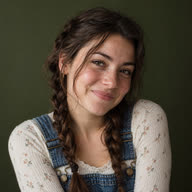





Add a portrait
Choose a clear, front-facing photo of one adult, with their face and hair visible.
A new look every time the doors open. Make an elevator fashion film from your photo.
Added 2026-10-18
Each closed-door moment hides the next outfit change. The next look appears as the doors open.
Confirmed failures are refunded.
Use your own photo or an adult’s photo with their permission.
ReelBoop brings the ideas. Grab one, make it yours, and go viral.
Pick a scene. Make it yours.
Contrast color and silhouette: a dark coat, a light shirt, then a sweater—or four differently colored gowns. Full door closures frame the changes, while the fixed camera makes each look easy to compare.
The camera stays outside an elevator while you pose inside. Closing doors hide each clothing change, opening to reveal the next look. The three-look version ends with a walk toward the camera.
One solo adult portrait. A clear, front-facing face and even lighting work best. The model fills in body details outside your photo.
Yes. Open Customize outfits and describe clothing, colors and shoes in order, up to 120 characters per look. Leave a field blank to use its preset outfit. Clothing details and likeness vary between generations.
The three-look version ends with a walkout; its preset outfits are a coat, shirt and sweater. The four-look version uses green, blue, black and silver gowns by default. You can customize each outfit.
An approximately 13-second 480P portrait MP4 with AI-generated original audio. You can add music you have permission to use in your social posting app.
Uploads and generated films stay in your account. You decide what to download and share. The page examples use original fictional adults.
A complete film costs 60 credits. Generate opens an on-page dialog showing your shortfall and available plans. Your selected photo and outfit settings are restored when you return from checkout. Click Generate to start your video.
A confirmed failure returns the credits charged for that task. Processing or unconfirmed tasks remain in My creations, where you can return to check the same task.