
01
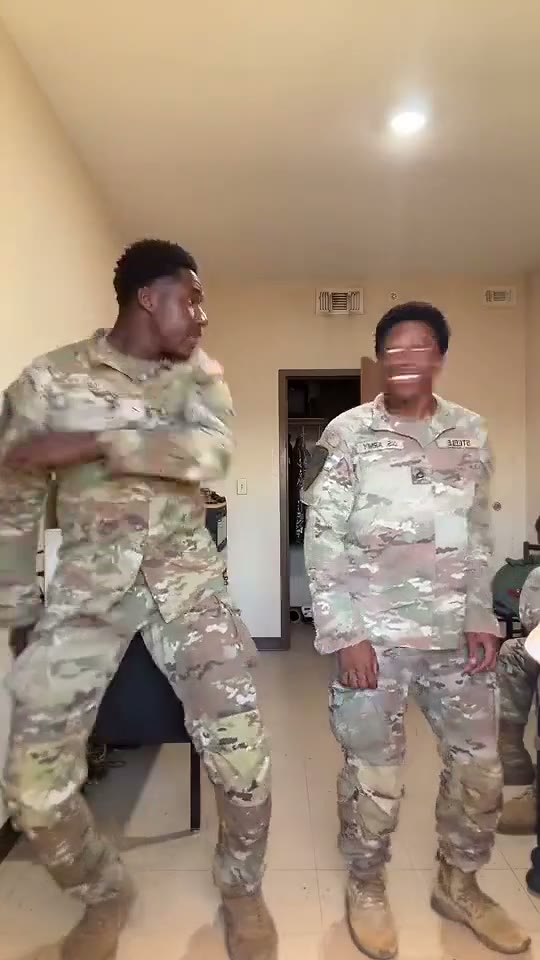
Two dancers in the room
The opening presents the pair side by side in a simple interior. Identify the left starter and the right starter before the movement changes their spacing.
Put two portraits into a compact partner routine with a playful move toward the camera.
JPG, PNG or WebP · up to 5 MB each
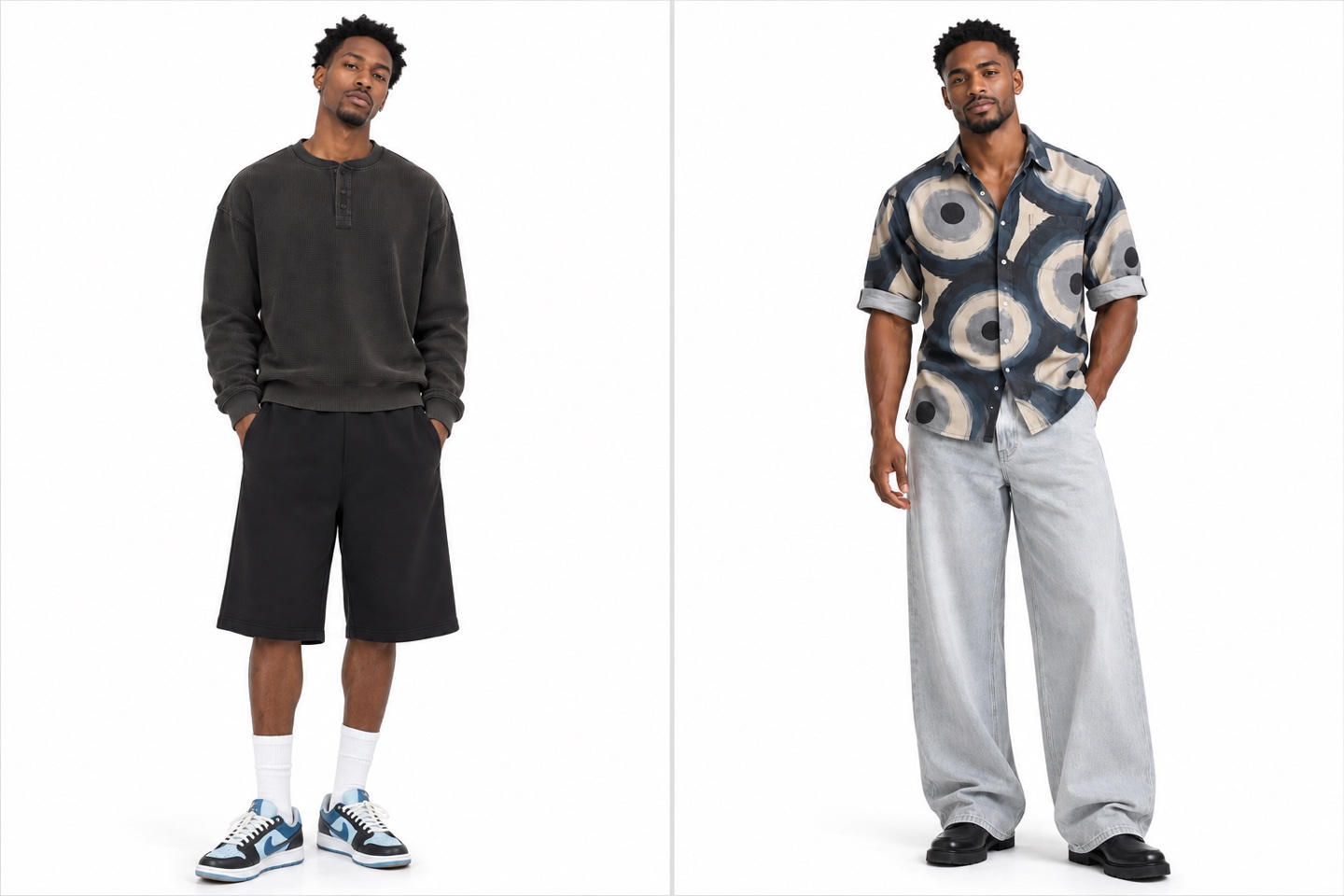
One adult per photo, clear face and outfit
Credits are returned for confirmed generation failures.
Checking credits…
Checking your task…Use your own photo or an adult’s photo with their permission. How your photo is used
Mickey Mickey D’s Dance AI is a quick two-person setup with a clear change of focus. The reference shows two uniformed dancers in a barracks-like room; the person who begins on the left peels away while the partner on the right comes toward the camera. Prepare separate adult portraits and follow those starting roles as you watch. The scene, input guide and notes below help you understand the pairing before creating your version.
START WITH YOUR PHOTO
Use two separate photographs, each showing one adult clearly. The first role starts on the left and moves aside; the second begins on the right and approaches the camera. Choose equally readable faces and visible outfits. Inspect both upload thumbnails so you can tell which person you have assigned to each part of the routine.
Choose the person for the role that begins on the left and peels aside later. Use a clear portrait with enough body detail to read the outfit. Keep this assignment in mind when preparing a caption about the pair, because screen positions change with the action.
Choose the partner for the role that begins on the right and advances toward the lens. A sharp face is especially useful when a person becomes more prominent in the frame. Avoid a small, heavily compressed crop from the corner of a group photograph.
Similar exposure and camera height make the source pair easier to compare. The outfits can contrast, but keep each silhouette clear. There is no need to find uniforms or photograph the two people together; the separate roles are the important preparation.
WATCH THE DETAILS
The opening presents the pair side by side in a simple interior. Identify the left starter and the right starter before the movement changes their spacing.
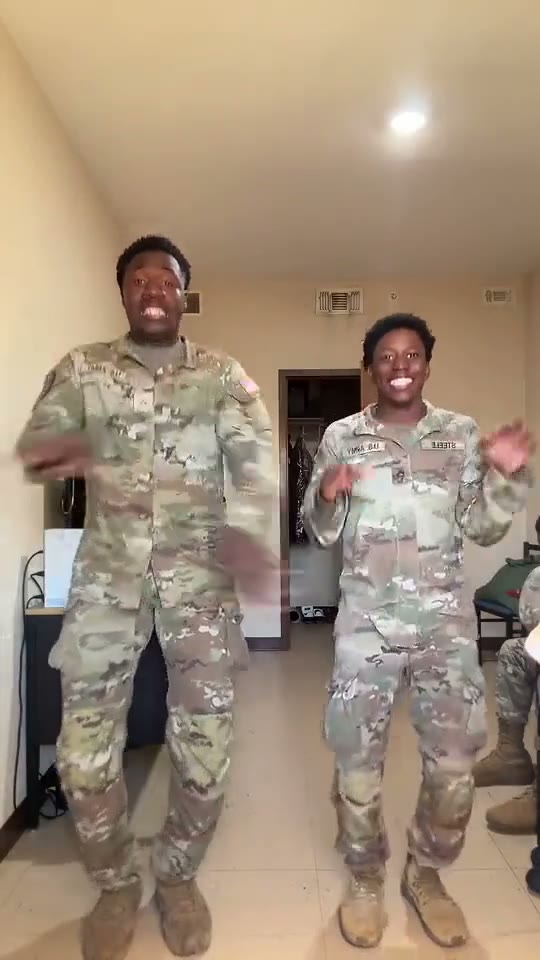
The original left-hand dancer peels away from the main line. Keep following that person rather than reassigning the role by screen position.
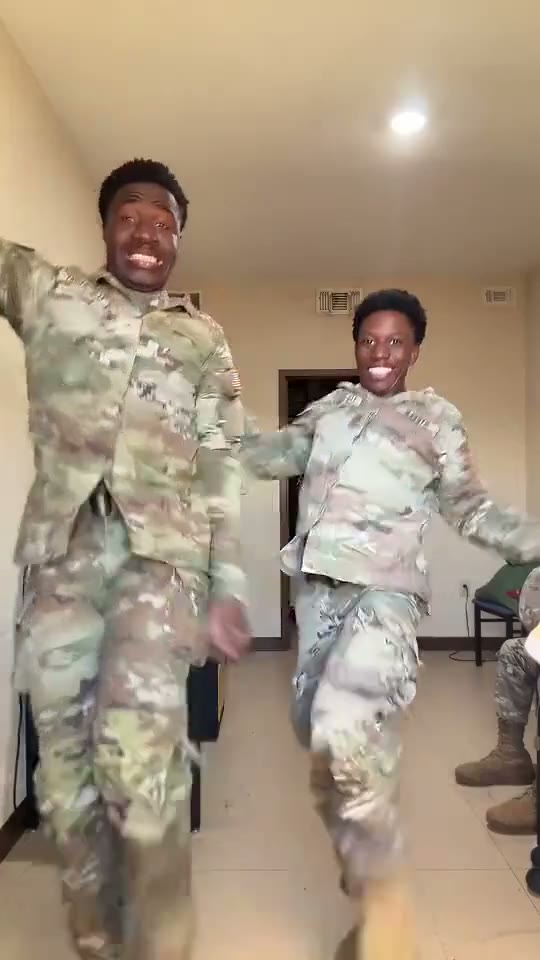
The original right-hand dancer approaches the lens near the finish. Leave room for that change of scale when framing your post.
THE PAIRING
This routine has a small built-in story: two people begin together, then one movement redirects attention toward the other. You can use that change of focus for a friendship joke, a team pairing or a playful reveal. Decide which person should own the approach before choosing the source photos. It makes the role order a creative choice rather than an accidental upload sequence.
Keep the caption aligned with what the video actually shows. A line about someone taking the spotlight fits the approach more directly than a long explanation of an unrelated event. If the joke depends on the pair’s expressions, choose photographs with faces that read clearly on a small screen. Elaborate scenery in the source pictures is less important than recognizing both people.
BEFORE YOU START
Two uploaded images are useful only when the roles are obvious. Open each source at full size and check that it shows the intended adult, with a visible face and enough clothing detail. Avoid photographs with another person leaning into the subject or a mirror reflection that resembles a second face. A simple solo portrait keeps the assignment clear.
Compare the pair’s lighting before committing to the photos. A bright, front-lit image and a heavily shadowed image can make one person much easier to read than the other. Choose a more balanced pair when possible. Keep your files organized by the role you want them to play, then confirm that organization in the labeled upload controls.
THE FINISH
Review the quality choice and credit quote in the creation panel before starting. When a clip is ready on the page, watch the opening pair and the final approach together. The change in distance is part of the idea, so check the ending before making a tight crop or placing a large text block near the front of the frame.
For a cover, choose a frame that introduces both people. That gives the viewer context before one person moves closer. Keep captions clear of the approaching face and avoid trimming away the last part of the movement just to shorten the post. A compact routine benefits from a complete visual punchline more than from shaving off every spare moment.
It is a two-person dance concept built around the reference shown here. Two dancers begin in a simple interior, then the left starter peels aside while the right starter approaches the camera. That change of focus is central to the idea.
Prepare two separate adult portraits, one for each labeled role. A clear solo picture of each person is easier to assign than a shared group photograph. Check both thumbnails before starting so the intended pairing matches your plan.
Use the first slot for the role that starts on the left and moves aside. Use the second for the role that starts on the right and comes toward the camera. Follow those identities through the movement even when their screen positions change.
You can prepare clear photographs in your own clothes. Prioritize visible faces, readable silhouettes and similar lighting. The reference explains the routine and room setup; your source photos identify the people you want to place into the two roles.
Separate locations are fine for preparing the pair. Look for similar exposure and a clear view of each person. A calm background and visible clothing are more useful than finding two photos with identical scenery but one badly blurred face.
The second role moves closer to the camera near the finish. Choose a source whose eyes and facial outline remain clear when you zoom in. Avoid a tiny crop enlarged from a crowded image, especially for the person taking that approach.
The current options and quote appear in the creation panel. Check the displayed credit amount after choosing a supported quality setting and before starting. Use that quote for this pairing rather than assuming it matches another two-person template.
Introduce both people in the cover, keep the approaching face unobstructed and preserve the ending. Watch the crop at phone size. A caption about the change of focus should be readable without hiding the movement that makes the joke work.
YOUR NEXT IDEA
 JISOO ADDICTED AI Dance
Put two portraits into a playful partner routine with a change of places.
 Hop Hop Hop
Two dancers swap foreground and background.
 A2O Neon Dance
Two photos, dancing together under the neon.
 Pick It Up Make It Jump AI Dance
Use a clear full-body photo for a routine built around turns, low moves and a jump.