Frequently asked questions
What is an AI fruit drama?
It is a short story where fruit characters play out a soap-opera conflict. A clear reveal or cliffhanger gives a short scene an ending.
Do I need to upload any photos?
No photos are needed to plan a scene here. Choose the two fruit roles and edit the dialogue.
How do I keep characters recognizable across episodes?
Keep each fruit’s shape, outfit and color fixed. Reuse the same cast image in Photo to Video when you make another episode.
How much dialogue works in a short?
Start with one line that changes what the other character knows. Give their reaction room to read before you cut.
Does the storyboard change with my picks?
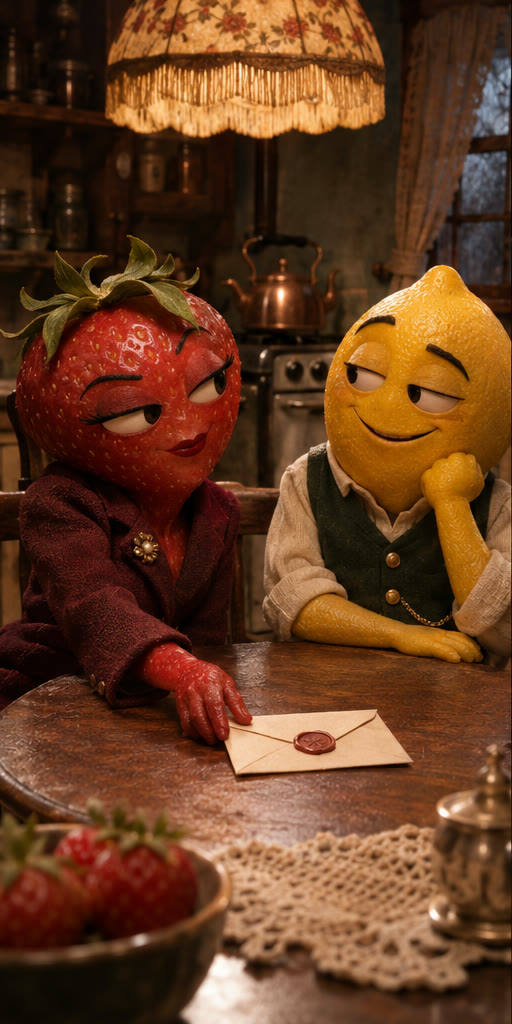
The Sealed Letter stays the same as you edit your cast and dialogue.
How do I turn my prompt into a video?
Copy your prompt, then open Photo to Video. Add a reference image that shows your cast, paste your prompt and choose a model. For the strawberry and lemon cast, you can download the first frame of The Sealed Letter.

 Paris Remember Dance AI Video
 AI Getting Fired Meme Video