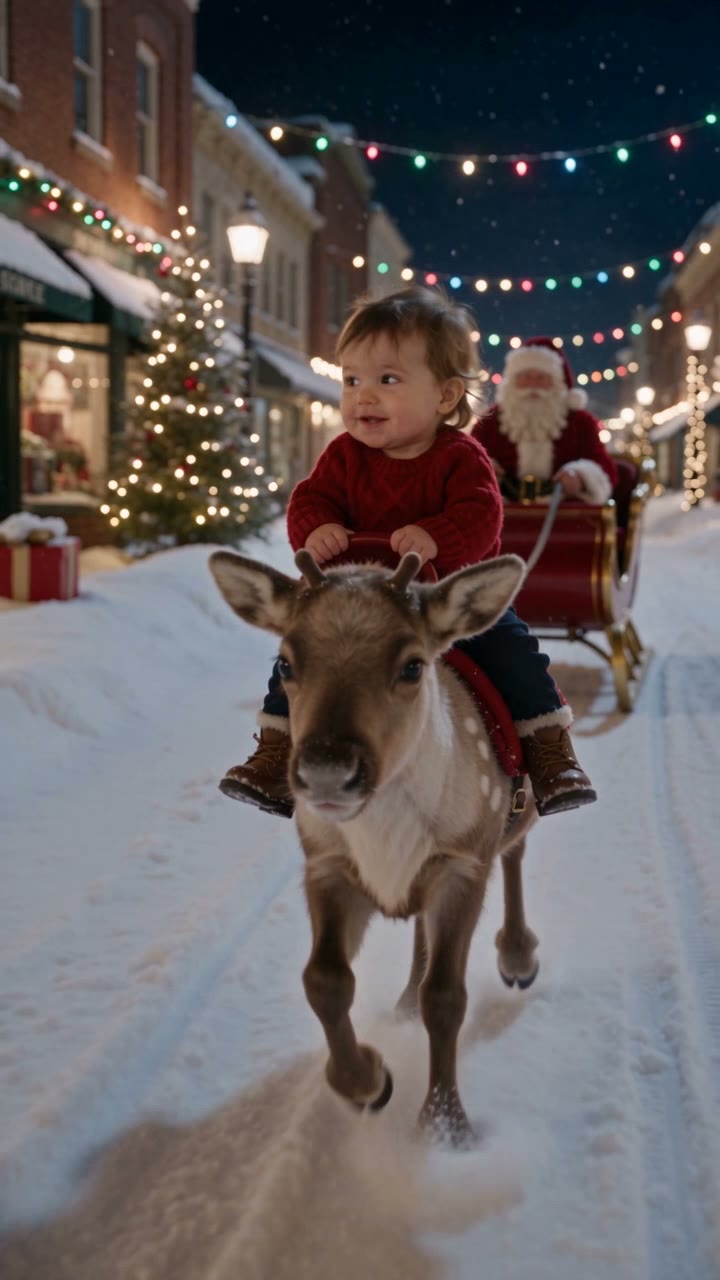
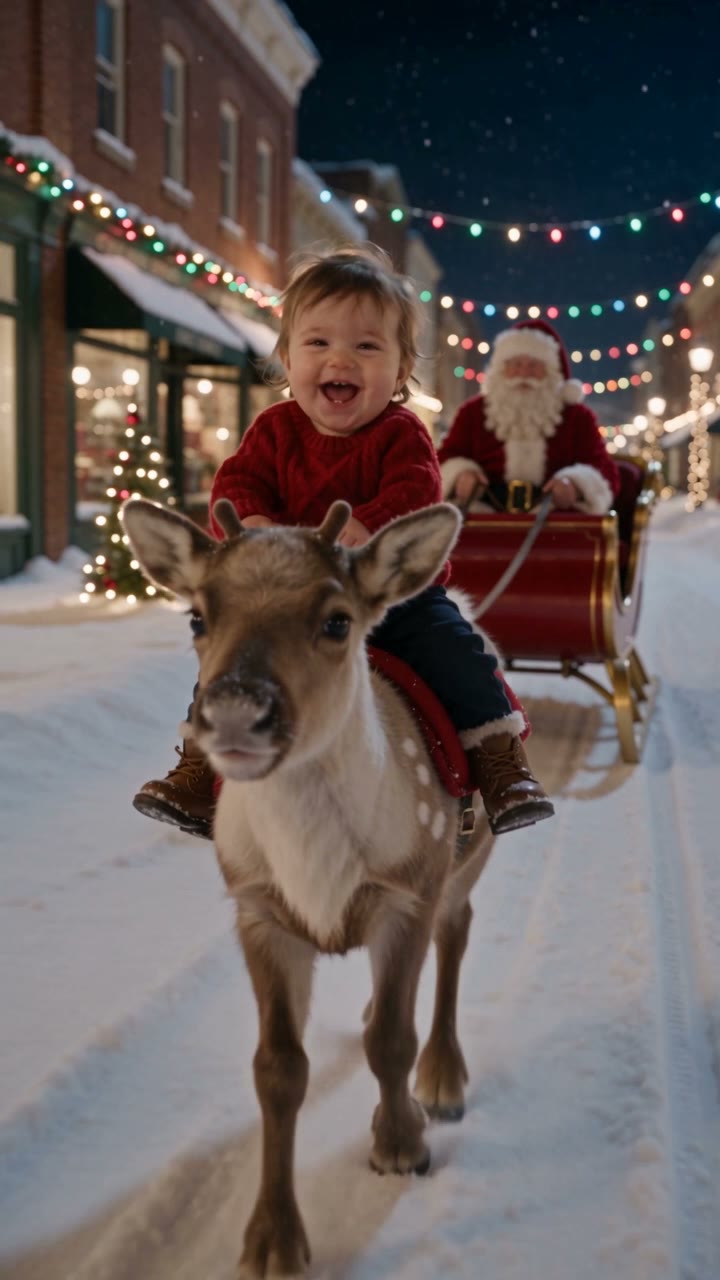
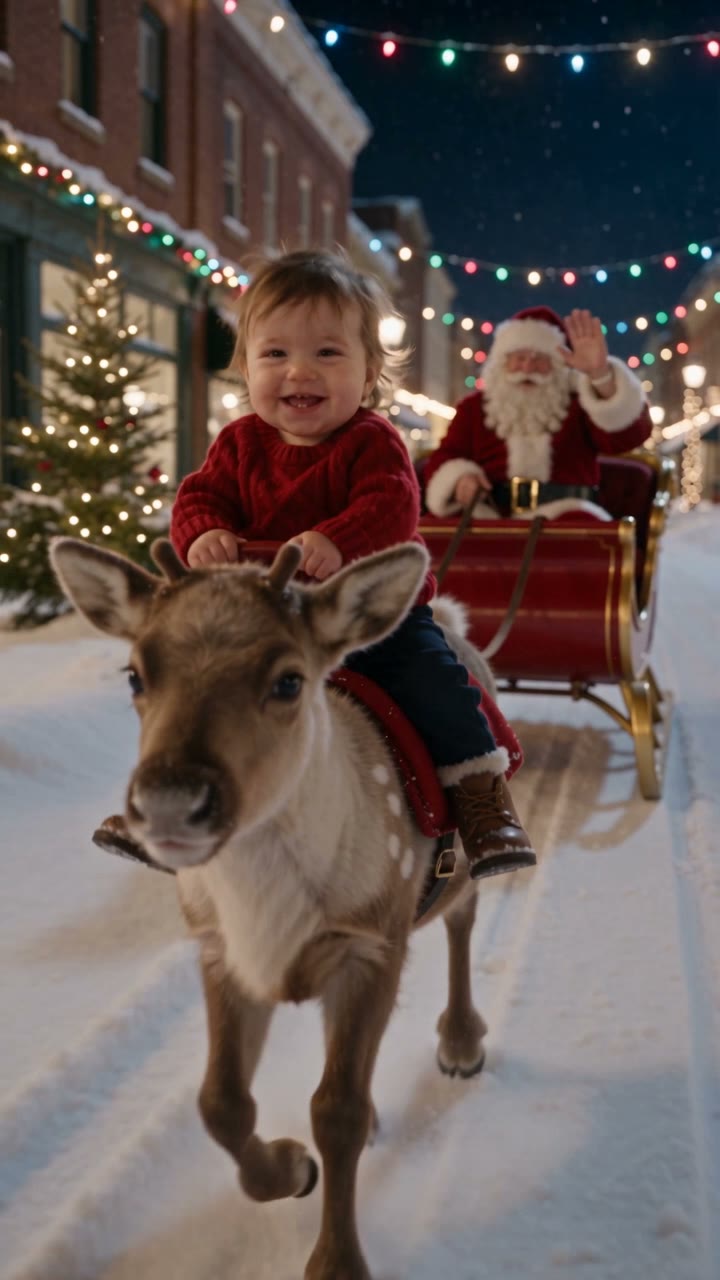
This one is a single take on a winter street at night. A small brown reindeer with pale antlers walks toward the camera through slushy snow, a toddler in a dark red knit sweater rides on its back, and Santa follows behind in a red sleigh with a checked blanket over his knees. Warm shop windows and strings of coloured lights run down both sides of the street. The camera keeps moving back as the reindeer advances, so the animal grows in the frame until its nose fills the bottom of the shot. Eight seconds, no cuts, no dialogue: the whole clip is one walk forward while a child tries not to laugh.
Photo framing guide
START WITH YOUR PHOTO
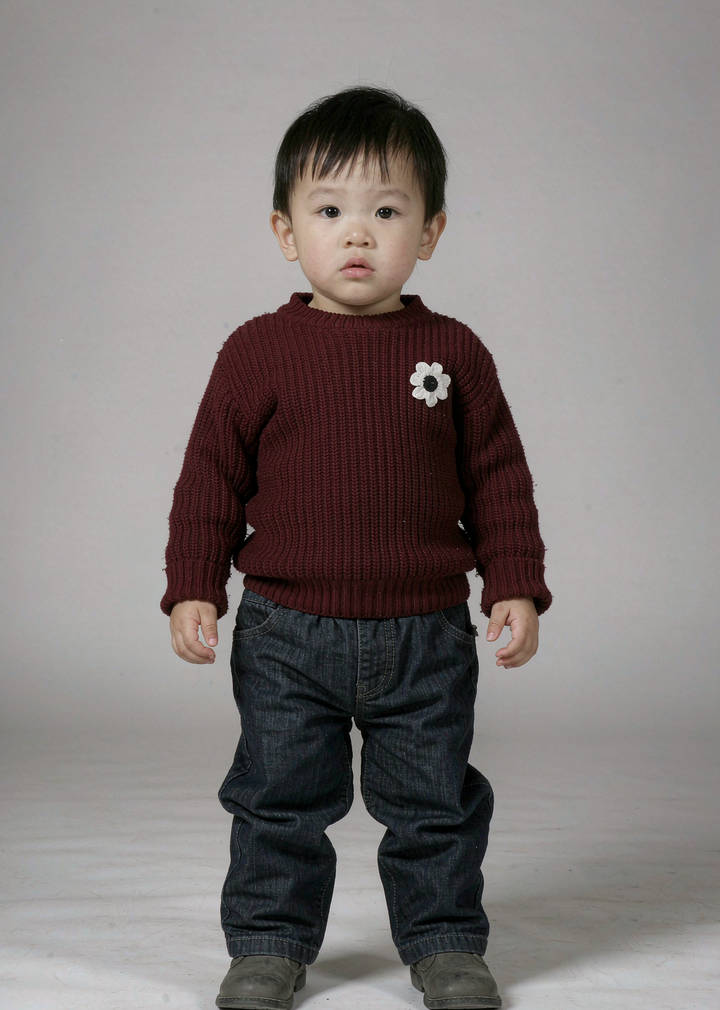
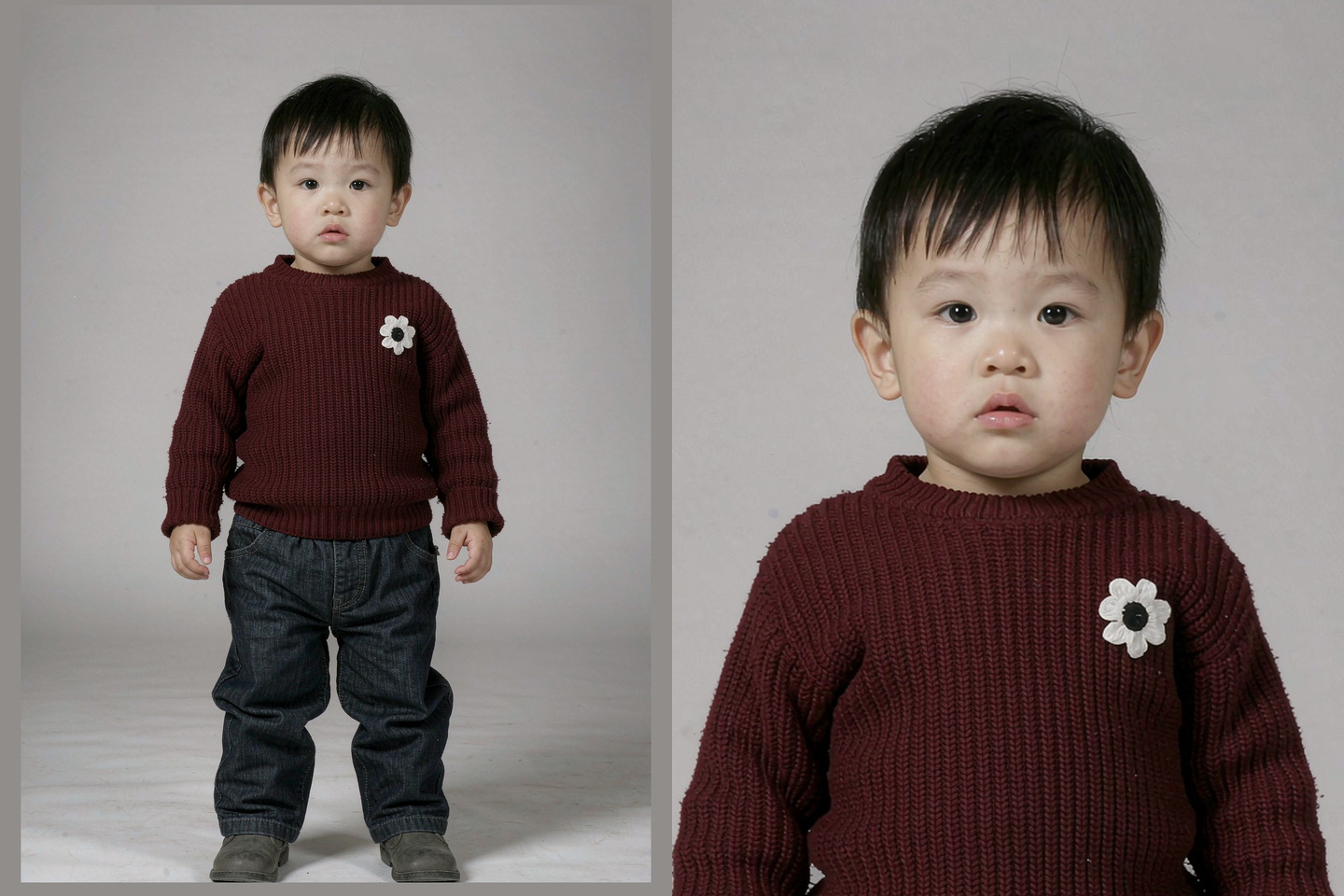
A photo of your child, standing
The scene rebuilds the pose from scratch, which means the photo only has to supply the child: face, hair, build, outfit and colouring. What it cannot supply is the pose, because in the reference the child is sitting on an animal with both legs forward. So a standing photo, taken straight on, with the whole body in frame and the arms relaxed, transfers far better than a photo of a child already sitting, crouching or being carried. Only upload a photo of your own child, or one you have the parent or guardian permission to use.
01
Full body, standing, facing the camera
Head to feet, no cropping at the ankles and no one else in the frame. The clip seats the child on the reindeer, so it needs to know how long the legs are and where the arms hang; a head-and-shoulders photo leaves it guessing and the result usually drifts toward an older face.
02
One child, plain surroundings
A second child, a parent holding them or a busy playroom gives the scene more than one subject to track. Stand them against a wall or a door, keep the background quiet, and take the photo from their own height rather than from above: a steep angle makes the head too big for the body that gets rebuilt underneath it.
03
Even front light, no strong backlight
The reference is lit by shop windows and overhead string lights, cold at the edges and warm in the middle. A photo taken facing a window, or in open shade, lands in that light without a fight. A photo with the sun behind the child loses the face, and the clip will guess at it.
WATCH THE DETAILS
One walk, one take, one blanket
01
The reindeer steps out
It opens already moving: the reindeer walking toward the lens through churned snow, the child upright on its back in a dark red sweater and jeans, Santa in the sleigh a few steps behind with a checked blanket across his knees. Garlands and coloured bulbs run overhead, and the street is empty apart from a few blurred figures far back.
02
The child turns and laughs
The reindeer keeps coming and the camera keeps giving ground, so the animal fills more of the frame. The child turns toward the lens with a wide open laugh, one hand still holding on, and the reindeer’s antlers and pale muzzle move into the middle of the picture.
03
Santa raises a hand
By the end the reindeer’s head is close enough to reach the bottom edge of the frame, the child still laughing above it, and Santa lifts one gloved hand in a wave from the sleigh. The clip stops there, mid-walk, with no cut and no closing shot.
THE IDEA
A winter street that does not exist
01
Nothing in this frame is a real location: the brick fronts, the lit windows, the garlands and the tree on the right are built by the scene, and so are the reindeer and the sleigh. That is the point of the format. You are not filming on a street in December with an animal, a costume and a child who has to stay warm for an hour; you are handing over one photograph and letting the scene supply the rest of the picture.
What that buys you is the walk itself. A real reindeer moving toward a camera is hard to stage and harder to repeat, and the clip keeps the thing that makes these videos work: a single continuous move, no cuts, and a child who is clearly enjoying it. What it gives up is control. You get the street at night, in snow, with the lights on, and not a summer field or a driveway.
To be clear about what you are watching: the reference above is the published clip for this format, not a video made from your photo. It is on the page so you can see the framing and the timing before you spend a credit.
YOUR WORKFLOW
One photo, one check, then generate
02
Load the photo into the single slot and look at the thumbnail rather than the file. The thumbnail is close to what the scene receives, and it is where most of these go wrong: a face that is small in a wide shot, a child cut off at the knees, or two people in the frame when only one was meant to be there.
The credit cost and the quality option sit next to the creation button and describe the version you are about to request. Eight seconds at the lower setting is enough to judge whether the likeness holds through the whole walk; take the higher setting for anything you plan to post. Leave the page open while it renders so the result appears in place, ready to play and download.
FRAMING
A vertical shot with two subjects stacked
03
The child sits above the reindeer, so the frame is used vertically: head near the top, animal filling the bottom third. When you cut this for a story, keep the child’s face out of the top band and the reindeer’s muzzle clear of any caption sitting at the bottom, or you lose both ends of the picture at once.
For a cover frame, take a moment where both are readable: the reindeer’s head and the child’s face in the same shot explains the template faster than a close-up of either. If you make a few of these for the same family, change the sweaters rather than the street, so the set still looks like one series.
Frequently asked questions
What is the Baby Riding Reindeer AI video?+
It is an eight-second vertical clip: a small reindeer walking toward the camera through snow on a lit winter street, a toddler riding on its back, and Santa following in a red sleigh. One take, no cuts, with the camera giving ground as the animal advances.
What photo should I upload?+
One photo of one child, full body, standing and facing the camera, head to feet and nothing cropped at the ankles. Plain surroundings and even front light help. A sitting, crouching or carried child is a poor start, because the clip rebuilds the pose on the reindeer from a standing body.
Whose photo am I allowed to upload?+
Your own child, or a child whose parent or guardian has given you permission. Do not upload a photo of someone else’s child, and do not upload a photo taken from a social account that is not yours.
Does the child have to be a toddler?+
The scene is scaled to a small rider, so a toddler or a young child is closest to the proportions in the reference.
Is this only for Christmas?+
The scene is fixed: snow on the ground, lit shop windows, coloured bulbs overhead and Santa in the sleigh behind. That reads as December, so it fits a holiday post best. It will still render in July, it just will not look like July.
How long is the clip, and what does it cost?+
Eight seconds, vertical. The exact credit amount for each quality option is shown in the creation panel before you confirm, and nothing is spent until you press the button. The lower setting is enough to check the likeness; the higher one is for clips you plan to publish.
Does the clip have sound?+
Yes. Your finished clip keeps the reference soundtrack, so the walk and the moment the child turns land on the same beat. Watch the reference once with sound on before you pick the photo, not after.
What should I avoid in the photo?+
Group shots, a second child or an adult holding the child, faces that are tiny in a wide frame, a strong backlight behind the head, and heavy filters that repaint the skin. A hat or a scarf is fine as long as the face is clear.
We use cookies to improve your experience, analyze site usage and support our marketing. You can accept or reject non-essential cookies; essential cookies needed for sign-in always stay on.