
7 Product Photography Prompts for Light, Texture and Composition
 ReelBoop
Copy seven product photography prompts for studio, window light, flat lay and detail shots. Learn what to change and how to check product accuracy.
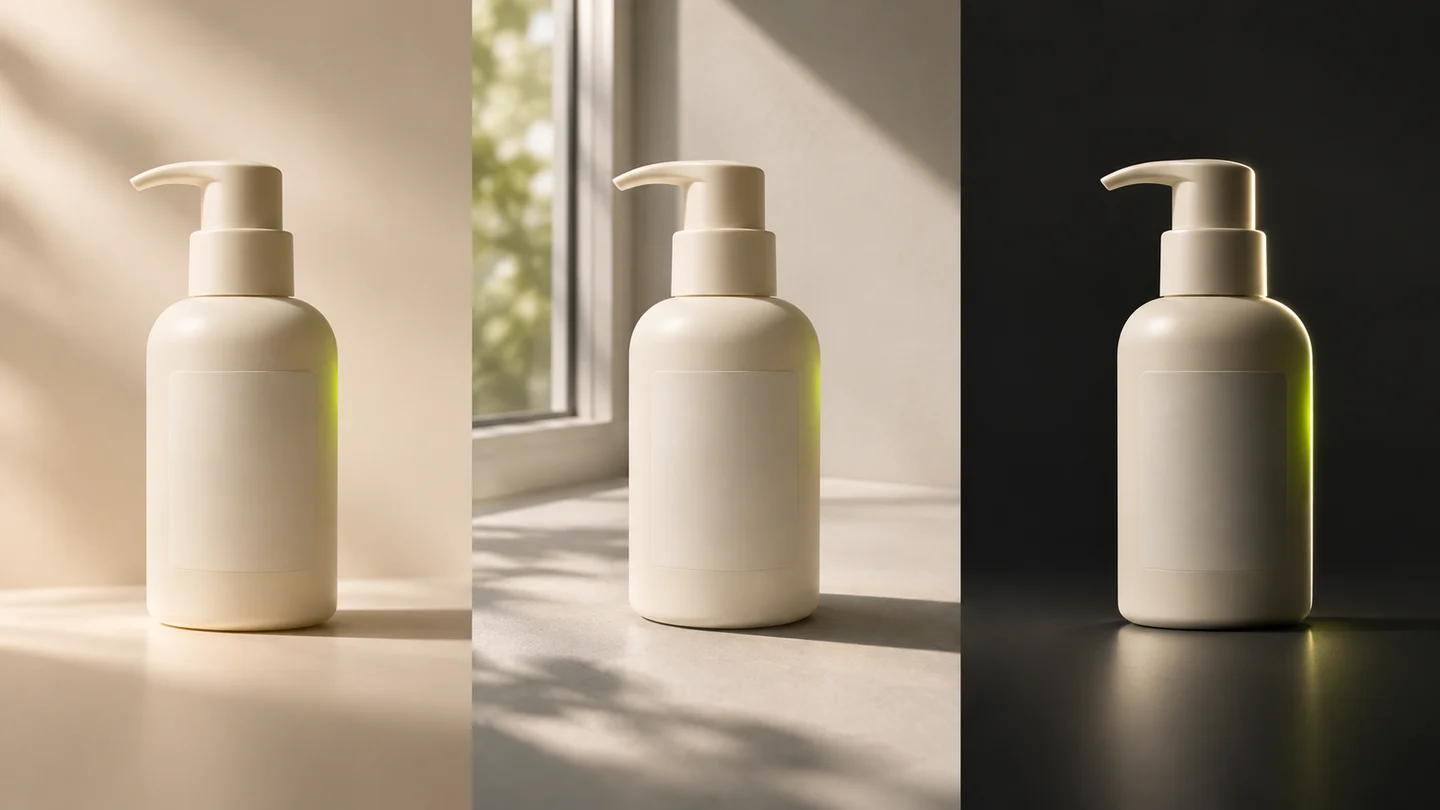
A useful product photography prompt describes one subject, a viewpoint, a light source, a surface and a clear place to look. “Luxury, stunning, professional” leaves those decisions open.
These seven recipes give you a starting composition and a way to judge it. For a text concept, open ReelBoop's creation area and choose Image. To revise a real product photograph, use the GPT Image 2.6 creator with a reference image. When the still image is ready, continue with the product video ad prompts.
First decide: a product concept or your actual product?
Text-to-image generation can explore moods, palettes and fictional products. An invented amber bottle can help you choose between a bright bathroom scene and a dark studio.
A sales listing must describe the item a customer will receive. Start with a real photograph when shape, branding, labels or components must be exact. Retouch it or composite it into a scene in an image editor, keeping the original product layer to inspect.
ReelBoop's Image mode offers FLUX Schnell for text concepts at 3 credits per generation. GPT Image 2.6 Flare and Sunburst add an optional reference image; each produces one Medium-quality PNG for 5 credits. You can use a real packshot to request a new background or lighting treatment, then compare the product's shape, color, label and components with the source. Current image options
Adapt a recipe to a real product photo
For a reference edit, start by identifying the actual product and the features you need to retain. Use the lighting, surface and composition from one of the recipes below as the requested change.
For example: “Use the product in the reference photo. Keep its visible shape, colors, label and components. Place it on a warm off-white studio surface with broad soft light from the upper left and a gentle contact shadow. Keep the complete product visible.”
Upload one JPG, PNG or WebP up to 5 MB in the GPT Image 2.6 creator, choose the intended ratio, and check the result against the source. The reference-image editing tutorial explains each step. The checks beside the seven recipes still apply to reference edits.
Build the prompt in five parts
Use this order, then remove anything that does not affect the picture:
[Product, shape, material and color]. [Viewpoint and crop]. [Main light and shadow]. [Surface, background and one relevant prop]. [Composition and space for later text].
“A short amber glass bottle with a black pump” is more specific than “premium skincare.” “Soft light from a window on the left” explains the lighting. Add advertising copy in your editor to control spelling and placement.
Seven product photography prompt recipes
1. A clean studio hero
Use a neutral studio when the outline should do the work. Leave breathing room around handles, caps and cables.
A pair of unbranded ivory over-ear headphones with a padded headband and matte ear cups. Three-quarter front view, complete product centered on a warm off-white surface. Large softbox light from the upper left, gentle contact shadow, seamless pale background. Simple catalog composition with generous margins.
Check: compare the two ear cups and the headband joins. A clean background makes uneven construction especially easy to notice.
2. Window light for a quiet everyday scene
The setting should establish everyday use without competing with the subject.
An unbranded amber glass pump bottle on a light stone bathroom shelf. Eye-level three-quarter view. Soft morning window light from the left, broad gentle shadows, warm neutral wall behind. One folded white towel at the edge of the frame. Bottle fully visible, calm everyday product photograph.
Check: glass should read as glass, with a clear boundary between the bottle and its background. Look for an attached, plausible pump.
3. A restrained overhead flat lay
Use a flat lay to show a small set. Name the item count and space objects apart.
Overhead product photograph of one unbranded cream-colored notebook, one black pen and one small ceramic coffee cup on a pale oak desk. Items spaced apart in a balanced triangular arrangement. Soft daylight, subtle shadows, clean surface. Notebook cover unobstructed, ample empty space in the upper right.
Check: count the objects. Follow the pen from end to end, and check that the cup handle connects to the cup.
4. Dark background, readable edges
A dark setup emphasizes the outline. Add soft front light alongside the edge light to keep the product readable.
An unbranded brushed steel water bottle standing upright on a charcoal surface. Three-quarter view against a deep gray background. Narrow rim light along the right edge and a large soft front light. Controlled metal reflections, visible bottle shape and cap, generous space above, understated studio photograph.
Check: the bottle should have a continuous edge. Reflections should describe its curved surface rather than resemble dents or extra parts.
5. A material close-up
Explain texture through one construction feature, with a clear focal point.
Close product photograph of the corner of an unbranded tan leather bag, showing a stitched seam and a brass buckle. Side light from a broad window reveals the leather grain. Soft beige background, shallow depth of field, focus on the seam and buckle connection, natural restrained texture.
Check: follow the stitching and buckle attachment. A convincing texture does not establish that the construction matches a real bag.
6. A prop that explains the product
One supporting prop can suggest a use or an ingredient. Keep it small, and use only associations that are true of the real item when preparing a commercial image.
An unbranded white ceramic tea tin on a warm gray tabletop, with one small dish of loose tea beside it. Front three-quarter view, soft side light, muted sage background. Tin is the largest object and remains fully visible. Spacious editorial product photograph with a gentle grounded shadow.
Check: cover the prop with your hand. The product should still be the obvious subject and retain a complete silhouette.
7. A composition with room for copy
For an ad concept, plan the empty area before writing the headline. Select the aspect ratio separately in the tool.
A single unbranded cobalt-blue cosmetic jar on a pale blue surface, positioned in the lower right third. Front three-quarter view, soft diffused light, gentle shadow, smooth tonal background. The upper left half is clear empty space for a headline to be added later. Crisp simple product photograph.
Check: the empty area should be quiet enough for readable text. Make sure the jar has not been cut off to create it.
Review the product before the atmosphere
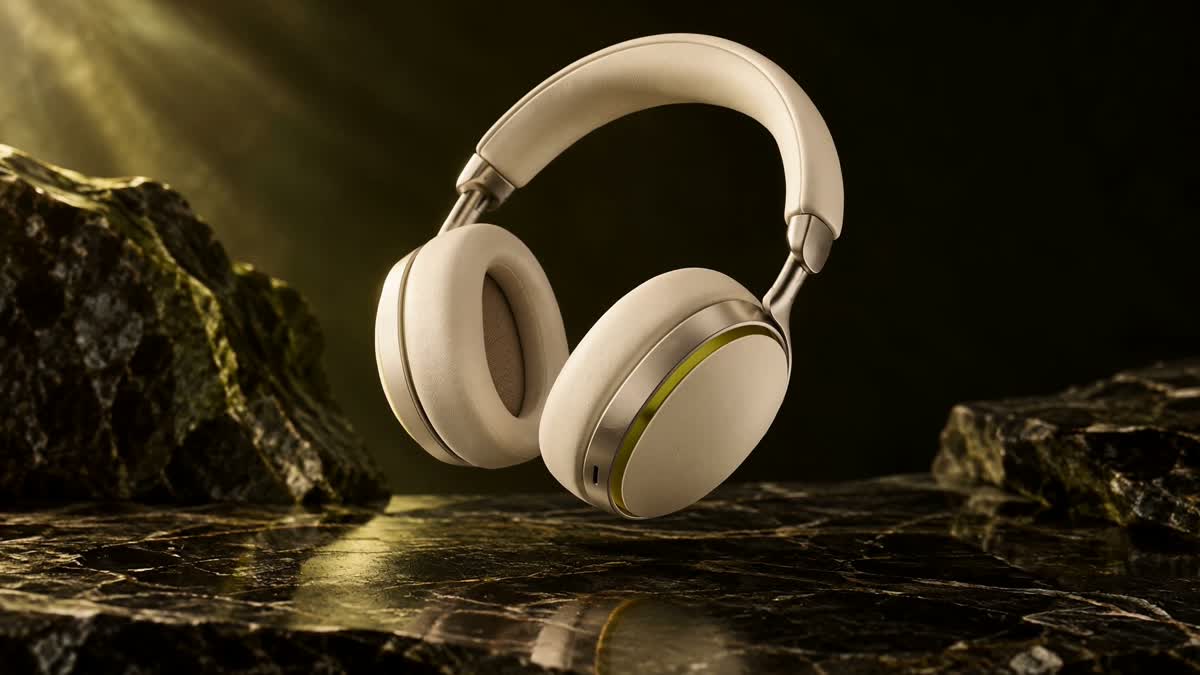
Inspect the ear-cup shape, color and headband connections.
Compare any image intended for a real product against its original photograph. Check the item count, proportions, material finish, color, closures, ports and attachments. Read every visible label at full size. Attractive lighting cannot compensate for a changed product.
When revising a concept, change one variable at a time: first the viewpoint, then the lighting, then the surface. Keep the product description fixed so you can tell which change helped. For an exact listing image, keep using the real packshot as your comparison.
Turn the chosen composition into a shot
Choose a photo with a clear outline and room around the product. The video ad prompt guide explains five motions for Photo to Video. For a fixed recipe, open Product Photo to Video, add your photo and choose its format. Check the credit quote before generating.
Updated November 6, 2026: added GPT Image 2.6 reference-image editing and the current image credit options.